
Building a Personal Brand on Video Without a Production Team
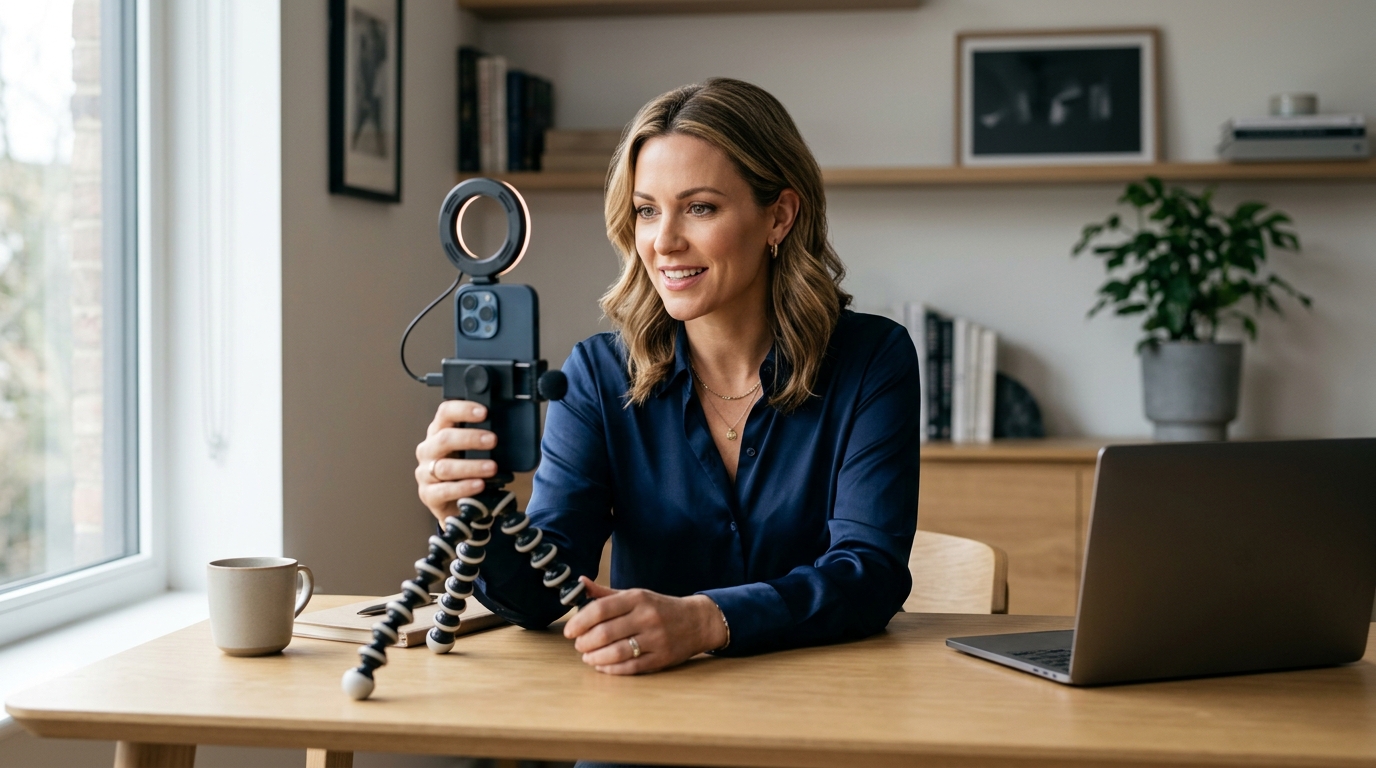
Yes, a solo consultant can build a powerful personal brand on video without a production team. You only need a smartphone, natural light, and a consistent visual identity. This guide covers the essential smartphone video setup and consistent visual branding strategies. It provides a practical roadmap for solo professionals to create high-quality content that builds trust and authority. You will learn how to optimize your environment, master basic lighting, and establish a recognizable visual style. This approach allows you to compete with larger agencies while maintaining your unique voice. For additional details, review the .
Smartphone Video Setup
Smartphone video setup is the process of configuring your mobile device and environment to capture professional-quality footage. You do not need expensive cinema cameras to start. Your phone is a powerful tool if you use it correctly. The key is mastering the basics of light, sound, and framing. These three elements determine the perceived quality of your content. Most solo consultants fail because they ignore these fundamentals. They assume that a new phone solves all problems. It does not. You must create a controlled environment. This section breaks down the specific hardware and settings you need. For additional details, review the Customer Experience.
Lighting and Environment
Lighting is the most critical factor in video quality. You need a consistent light source. A large window facing you provides the best natural light. Position yourself so the light hits your face directly. Avoid backlighting, which creates a silhouette. If you film in the evening, use a ring light or a softbox. Place the light slightly above eye level. This creates flattering shadows under the eyes and nose. Keep the background clean and uncluttered. A plain wall or a bookshelf works well. Avoid busy patterns that distract the viewer. The goal is to keep the focus on you. Your face is the product. The background is just context. Consistency in lighting helps your audience recognize you instantly. They will know it is you before they even hear your voice. For additional details, review the Frequently Asked Questions.
Audio and Microphone
Audio quality is often more important than video quality. Viewers will forgive slightly blurry video. They will not forgive bad audio. Use a dedicated microphone. A lavalier mic clips to your shirt. It captures clear, close-up sound. A shotgun mic mounts to your phone. It picks up sound from the front. Both options are affordable and effective. Test your audio before recording. Speak at your normal volume. Check the levels on your phone. Ensure there is no clipping or distortion. Record in a quiet room. Turn off fans, air conditioners, and computers. These background noises ruin professional audio. If you must record in a noisy space, use a windscreen. It reduces wind and ambient noise. Good audio builds trust. It signals that you are prepared and professional. It makes your message easier to understand. For additional details, review the About.
Camera Settings and Framing
Use the highest resolution your phone allows. 4K is ideal for editing flexibility. 1080p is acceptable for social media. Lock your focus and exposure. Tap and hold on your face in the camera app. This prevents the phone from adjusting brightness as you move. Use the rule of thirds for framing. Place your eyes in the upper third of the frame. Leave some headroom above your head. Do not crop too tight. You need space for text overlays later. Shoot in landscape for YouTube and LinkedIn. Shoot in portrait for TikTok, Instagram Reels, and Shorts. Plan your aspect ratio before you start. You can crop landscape to portrait, but not vice versa. Use a tripod or a stable surface. Handheld shake looks amateurish. A stable shot conveys confidence. Keep your phone at eye level. Looking down at the camera creates an unflattering angle. Looking up creates a different dynamic. Eye level is the most neutral and professional choice.
Consistent Visual Branding
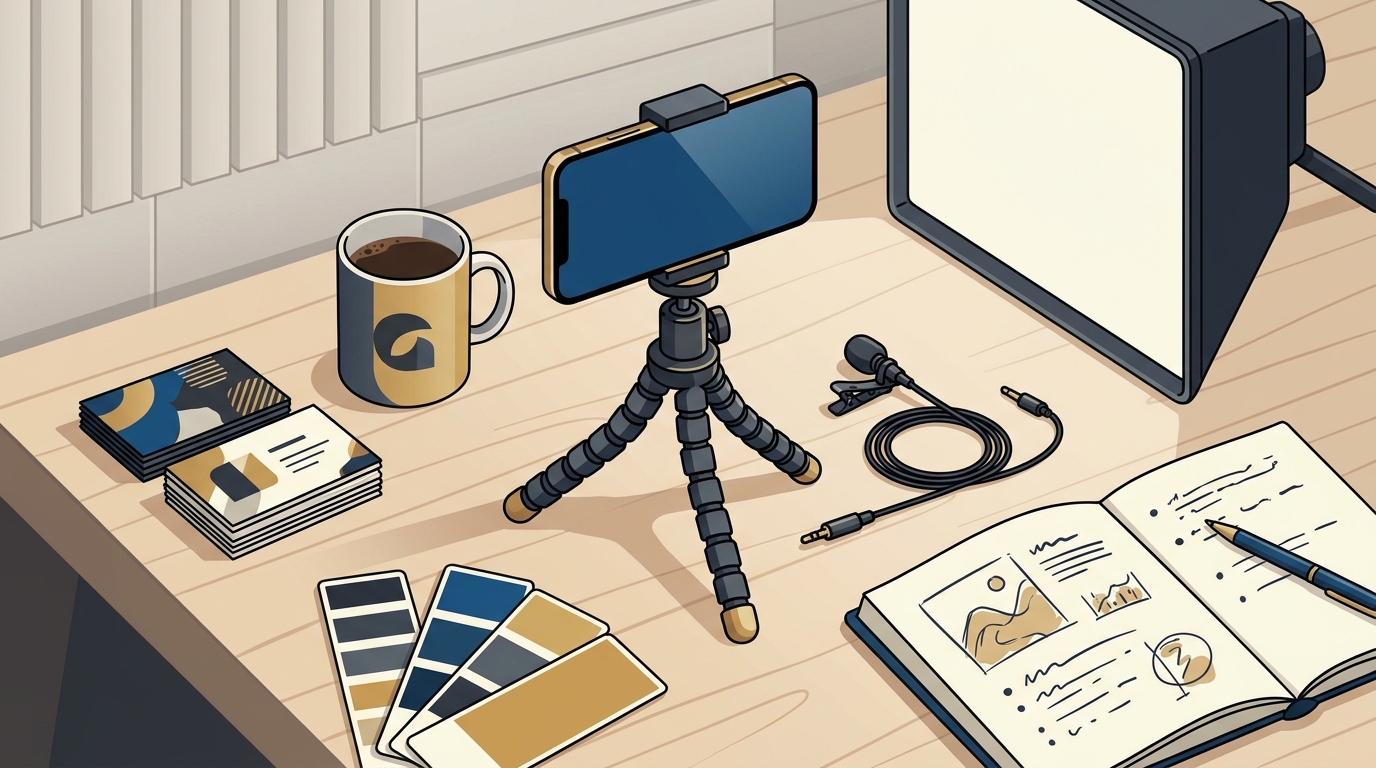
Consistent visual branding is the practice of using uniform colors, fonts, and styles across all video content. It helps your audience recognize you instantly. You are building a library of assets. Each video should look like it belongs to the same family. This creates a sense of professionalism and trust. Inconsistency confuses the viewer. It makes your brand look fragmented. You need a simple visual system. It should be easy to replicate. You do not need a complex design team. You need a few core elements applied consistently. This section details how to build that system.
Color Palette and Fonts
Choose a limited color palette. Pick two or three primary colors. Use them for your background, text, and graphics. Stick to these colors in every video. Do not change them weekly. Consistency is key. Choose one or two fonts. Use a bold font for titles. Use a clean sans-serif font for body text. Keep the fonts simple and readable. Avoid decorative fonts that are hard to read on small screens. Create a template in a video editing app. Save your title card, lower thirds, and end screen. Reuse this template for every video. This saves time and ensures consistency. Your brand colors should reflect your personality. If you are energetic, use bright colors. If you are calm, use muted tones. The colors should match your website and social media profiles. This creates a cohesive experience across all platforms.
Thumbnails and Titles
Thumbnails are the first thing people see. They must be eye-catching and clear. Use a close-up of your face in the thumbnail. Show an expression that matches the video tone. Add large, bold text. Keep the text to three or five words. The text should summarize the video topic. Use your brand colors for the text background. Ensure the text is readable on mobile devices. Test your thumbnail on a small screen. If you cannot read it, make the text bigger. Titles should be clear and benefit-driven. Avoid clickbait. Deliver on the promise of the title. Use keywords that your audience searches for. This helps with search engine optimization. Your title and thumbnail work together. They must tell a coherent story. A mismatched title and thumbnail confuses the viewer. It reduces click-through rates. Consistency in thumbnails builds recognition. People will scroll past other content and stop for yours. They will know it is yours by the look.
Platform-Specific Adaptation
Each platform has different requirements. YouTube favors 16:9 landscape. Instagram and TikTok favor 9:16 portrait. LinkedIn works well with both. You must adapt your content for each platform. Do not just upload the same file everywhere. Crop the video to the correct aspect ratio. Adjust the text size for mobile viewing. Use platform-specific hashtags. This helps with discoverability. Keep your bio and profile picture consistent. Use the same photo on all platforms. This reinforces your personal brand. Your content should feel native to each platform. It should not look like a copy-paste job. This requires some extra effort. But it pays off in engagement. Each platform has its own culture. Respect that culture. Adapt your tone and style accordingly. This shows that you understand your audience.
Comparison of Video Setup Options
| Component | Basic Option | Pro Option | Impact on Quality |
|---|---|---|---|
| Microphone | Built-in Phone Mic | Lavalier or Shotgun | External mics significantly improve clarity and reduce background noise. |
| Lighting | Natural Window Light | Ring Light or Softbox | Artificial lights allow filming at any time of day with consistent results. |
| Stabilization | Phone Tripod | Gimbal | Tripods are best for static shots. Gimbals are for movement. |
Key Takeaways
- Smartphone video setup is the foundation of your personal brand. Master light, sound, and framing first.
- Audio quality is more important than video resolution. Invest in a good microphone.
- Consistent visual branding creates instant recognition. Use the same colors and fonts in every video.
- Thumbnails and titles must be consistent and clear. They drive clicks and engagement.
- Adapt your content for each platform. Do not just copy-paste the same file everywhere.
- You do not need a production team. You need discipline and a simple system.
- Consistency builds trust. Your audience will recognize you before they hear your voice.
- Start with what you have. Improve your setup gradually as you grow.
Frequently Asked Questions
Do I need a professional camera to start?
No. A modern smartphone is sufficient for high-quality video. Focus on lighting and audio first. You can upgrade your camera later if needed.
What is the best microphone for solo consultants?
A lavalier microphone is ideal for talking head videos. It clips to your shirt and captures clear audio. A shotgun mic is also a good option.
How do I make my videos look professional?
Use good lighting, clean audio, and consistent branding. Keep your background uncluttered. Use a tripod for stability. These basics make a huge difference.
How often should I post videos?
Consistency is more important than frequency. Start with one video per week. Increase as you build your capacity. Quality matters more than quantity.
Can I build a brand without editing skills?
Yes. Use simple editing apps to trim clips and add text. You do not need complex effects. Keep your edits simple and clean. Focus on your message.
What colors should I use for my brand?
Choose colors that reflect your personality and industry. Use two or three primary colors. Stick to them consistently. They should match your website and social media.
How do I stand out from other consultants?
Be authentic. Share your unique perspective and experiences. Consistency in visual branding helps you stand out. Your voice is your differentiator.
Do I need to show my face on camera?
Yes. Showing your face builds trust and connection. It humanizes your brand. If you are uncomfortable, start with short clips. Build your confidence over time.
Conclusion
Building a personal brand on video is within your reach. You do not need a large team or a big budget. You need a smartphone, good lighting, and a consistent visual identity. Start with the basics. Master your setup. Establish your brand style. Post consistently. Over time, you will build a library of content that works for you. It will attract clients and build authority. Inspired Living helps entrepreneurs be seen, be known, and be paid for their brilliance using the power of video marketing. If you are ready to take your video strategy to the next level, explore our services today.